Showing posts with label Workflow. Show all posts

Thursday, 21 May 2026

I've Broken Up with Adobe


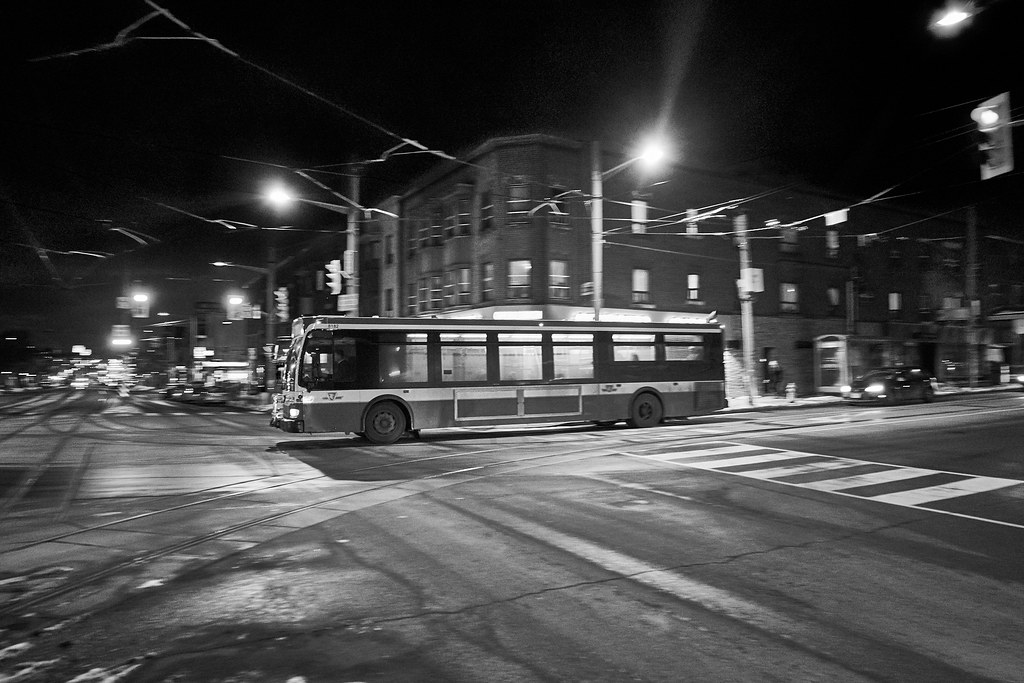
Misty Morning

Z5ii, 24-85VR

Like many I've become increasingly annoyed with Adobe's cash grabs via their Lightroom subscriptions. Unlike many I don't actually have an issue with the subscription model, but rather with the incredibly low value per dollar that I found it delivered, especially regarding online storage. 

I've been using a cloud-based workflow shared across my iPad & MacBook Pro's using Lightroom, which was working well enough aside from the issues I had with the iPad version of LR not supporting key editing features. That had me looking for a similar solution in capability and with Apple's recent release of their Creative subscription, I signed up for that pretty much as soon as it released. 

I've since been slowly getting used to using Photos as my DAM solution and Pixelmator Pro as my editor. I do like the ability to use standard LUT's in my workflow now (LR only supports their own preset models) but miss the catalog of highly personalized presets I'd built up over more than a decade of use of LR. I'll have to do a lot of work in Pixelmator to rebuild them. 

I have migrated my entire catalog of photos to Photos as of a couple weeks ago. Not entirely loving Photos, but as a DAM tool, it's no worse than LR. More workflow will need to be worked out, but I can import on all my devices which is a win. 


Sunday, 10 January 2021

Presets - The Bane and Saviour of Post-Processing


Fuji X-T2, XF 55-200mm f3.5-4.8 R LM OIS

Presets came up recently in a discussion I was having with a couple fellow photographers and I had a quite aggressive reaction to one of my friends comments on them.

I think that reaction bears some explanation.

Presets are the single biggest scam in the photography market today. There are thousands of presets for sale and they all have one thing in common, they suck and will make your post processing results worse. There's a very simple reason for this, those presets are tailored for somebody else's gear, workflow and preferences. They're a nice income stream for some photographers, but that's it.

The flip side is I'm also adamantly against the 'Do it all from scratch' mindset. That's a waste of time and effort. As you develop a style to your photography, you will find yourself making similar edits time after time. Do those edits. Save them as a preset. Apply and tweak to the image at hand. That's simply optimizing your workflow. Presets are a time-saving tool in your post, not a way to get instant awesome post. Use them wisely, but don't skip them, they will save you hours.

I maintain a fairly decent library of presets I've created that I use regularly. I also have a particular style I go for in my post, especially my landscape shots where I push deep blues, punchy greens and lightened shadows. Presets are simply a tool to get me 80% of the way to the final look by repeating the settings that I always start from. 

But my 'look' is something that's always evolving. I know I was overdoing the post somewhat last year, especially on some of the D750 shots. Just because you have ridiculous DR doesn't mean you need to abuse it, and I was for a while.

Friday, 18 September 2020

A Few Updates

Mamiya 645 Super, lens unrecorded but likely the 150/3.5 C, Portra 160VC

 Bravo to Fuji for this week's firmware update. Fuji again proves that they understand the need for back catalog support by releasing updates for all the X-Trans cameras including the very first model, 2012's X-Pro1. The updates are mostly minor aside from support for AF lenses faster than f1.2 (needed for the new XF 50/1.0)

Sony announced the A7c, which is a camera with 2 problems. The price is too big and the viewfinder too small. It's basically a A7III with the EVF hump chopped off, a tiny one added on the corner and a bunch of mild decontenting (it loses a slot, has a lower spec shutter, loses a bunch of controls, but gains the digital audio interface on the hotshoe introduced on the A7RIV and loses some of firmware-level video limitations of the A7III). As it is very much an A7III internally it retains the old menu system and loses most of the AF gains since the A7III release. It does get Real-Time Tracking though.

Nikon dropped two new Z lenses. An utterly massive 50/1.2 and the smallest & lightest 14-24/2.8 anybody's seen so far. Optically both look like winners, but I wouldn't want to haul that 50, or even really use it on a Z body.

As to my work, I recently passed 3000 shots on the X-T2. Very happy with it. I've also received a VERY cheap Super-Takumar 135/3.5 for testing. It has mild fungus so can't live in a bag with other lenses, but it's mild enough that the lens remains usable. It's mostly for play though. So tiny and nicely sharp.

Ordered a black Nikon F2 without a prism for very cheap. The bodies are cheap, but the prisms aren't unless they're the non-AI ones. I'll likely add a DP-11 (AI prism to make an F2a) and I'd like the waistlevel which isn't too expensive. I'd love a plain prism, but you can buy a complete F2a or F2as for the cost of a DE-1 plain prism on its own. They're rare and stupidly popular for some reason. The F2 is usable without a prism, although the experience is better with the waistlevel installed or an eyelevel prism

On the film workflow side I scanned 2 rolls of Superia 200 earlier this week that had been sitting around for 3 years waiting to be scanned. These are the first 2 rolls I've scanned since 2017. Today I mixed up some chemistry and developed 2 rolls of PanF+ in 120, one of which was recently shot in the Super Ricohflex, and 2 rolls of HP5+ in 35mm, one from my most recent FM (I keep buying FM's and having them die on me) and the other I'm not sure of, will figure it out once I look at it. All of them were done in Blazinal (Rodinal), 1:100 stand for the PanF+, 1:25 normal for the HP5+. More developing to come, I have a dozen more rolls of HP5+ to do and 2 rolls of PanF+ in 120. Plus I have to get a bunch of colour neg & slide film processed. I've got 2 rolls of C41 out for processing now and will be cycling the rest through in batchs of 2 or 3. I've had some of this sitting around since 2012 (most of the E-6 is from the 645 Super or Maxxum 7, which I sold off at the same time in 2012)


Friday, 28 August 2020

Workflow Thoughts

Fujifilm XT-2, AF Nikon 70-300mm f4-5.6 D


I hate doing post. Post is however a key component of getting quality images.


Right now I do pretty much all of my post in CaptureOne on my PC, with files backed up to OneDrive. It works and I like the end results but the process is clunky and I’d like something both more mobile and smoother. 


I’ve long maintained an Adobe Create Cloud subscription to get access to Lightroom Mobile for quick on the go editing. I also have a 1st gen iPad Pro on long-term loan from work. So I’m going to do some testing to see if I can put together a functional workflow on the iPad Pro. It is only a 32GB model, so a serious workflow would involve investing in a newer model with more reasonable storage, but 32GB is enough for testing if I don’t keep files on the iPad but delete after sync to Adobe Cloud.


This will also let me try out some of the neater presets out there. Lightroom has a much healthier 3rd party ecosystem than CaptureOne.
 

Thursday, 4 June 2020

Pondering Fuji Colour


Bee and Thistle
Fuji X-T1, Micro-Nikkor 55mm f3.5 AI

In my previous post, I made a comment about being unhappy with Fuji colour for landscape/nature work.

I've been doing a lot of thinking about that.

The reality is I was actually having two issues.

1. Fuji's expose quite differently from most other cameras. That means that relying on the meter gives me overexposed images with limited ability to recover highlights (the flip side is there is FF-level data in the shadows, as all that missing headroom is sitting down there).

2. Fuji's blues are lighter and warmer than Nikon or Olympus blues.

The first is easy to address, underexpose by 0.7 to 1.3 EV and lift the shadows in post. That will darken down the blues in the sky to start.

The second is harder to address. It's linked to how the Fuji's render colour. They simply have less resolution in the blues and reds and Fuji's very distinct colour signature tends to a warm shift and a mild green shift, both of which compromise the blues.

I'm still working on a solution for #2. The reality is these colour rendering items are predictable, so may be solvable with presets (unlike the Sony colour challenges, which I just never liked it in any regard, with Fuji it's just the blue skies that I have some challenges with). 

Note in looking through my Fuji archives here:

https://www.flickr.com/photos/mawz/tags/fujifilm/

I can see some great skies. I don't see that deep indigo I get from some of my Nikon shots, but I do have some lovely blues. I'd love to get that indigo look, but can probably live without it. 

So in summary - I need to work on how I expose with the Fuji's, and need to see if I can come up with a  preset that gets me closer to those Nikon and Olympus blues I love, but I can already get good skies from the Fuji's if I don't accidentally overexpose them.

Monday, 4 May 2020

Finding the Love For Classic Chrome

Rainy Day Dusk 
Fujifilm X-T1, Neewer 25/1.8

Over the years I've heard a lot of love for Fuji's Film Simulations and particularly the Classic Chrome simulation. I never really played with them much as I shoot RAW almost exclusively and frankly tend to just leave the camera in the normal or Vivid/Landscape/Velvia modes.

Since I've re-acquired the X-T1, I've been shooting both RAW+JPEG so I have JPEG's to feed to Instagram, and using the Classic Chrome emulation to get a real feel for it. So far I'm rather liking the more muted tones it delivers.

As it turns out, my X-T1 has an issue, the control dials are very skippy. This isn't an issue for most shooting, but since I use those dials to set aperture on the XC35, it does make that lens occasionally frustrating to use. So back in early March I dropped by Downtown Camera and Stan hooked me up with a second Fuji body for next to nothing and now I have an X-E2 to go with the X-T1. For now I'm shooting the XC35 on the X-E2, and anything manual focus on the X-T1. I also grabbed a Neewer 25/1.8 manual focus X mount lens, which is working really nicely on the X-T1. And yes, using Classic Chrome a lot on the X-E2 as well.

Friday, 7 February 2020

A Neat Little App

Birds in the Snow 
D800, Nikkor 105/2.5 AI-S


I came across a neat little app called Camera Connect & Control. This app does a couple things, one it allows me to import photos directly from my D800 over USB connection (USB Micro to USB-C cable required)  which is why I got it, but it also allows control of the camera by a smartphone or tablet over the USB connection.

What this means is the phone+cable combo basically can become a flip/twist live view display with remote camera control. That solves my one big caveat about using the D800 on the tripod vs a mirrorless body. The only real downside is this capability is Android-only, the iOS version cannot use USB connections (although it can handle WiFi camera control on iOS if a supported camera has WiFi). Heck, you even get focus peaking on a D800....That's pretty sweet. Tethered only, but I can just get a 6' or longer cable for field work. As it turns out TetherTools sells a 15' cable that's ideal for this usage (complete with 90 degree connector on the camera end), although that cable is pricey, I'll probably start with a cheap Amazon cable for now.

Ironically, the app is less useful with the newer A7II, because there's no zoom feature. But I checked and of course, that's a camera limitation, not the app. It'll do everything the Sony app will do, likely more reliably, but Sony's wireless implementation is rather limited and there's nothing the app developer can do about that.

It also does photo download, which Android can't reliably do with the D800 on its own.

Honestly, the photo download bit is good enough but not awesome, I don't like the hassle of a cable compared to wireless for download, but the overall experience is definitely better than most of the wireless apps. It gives me my On The Move workflow for the D800 though, and I could use it for the A7II if I really want to, and over the wire it can do RAW files, which lets me suck stuff into Lightroom Mobile (and later sync that wirelessly to my PC)

Wednesday, 20 February 2019

Workflow Thoughts

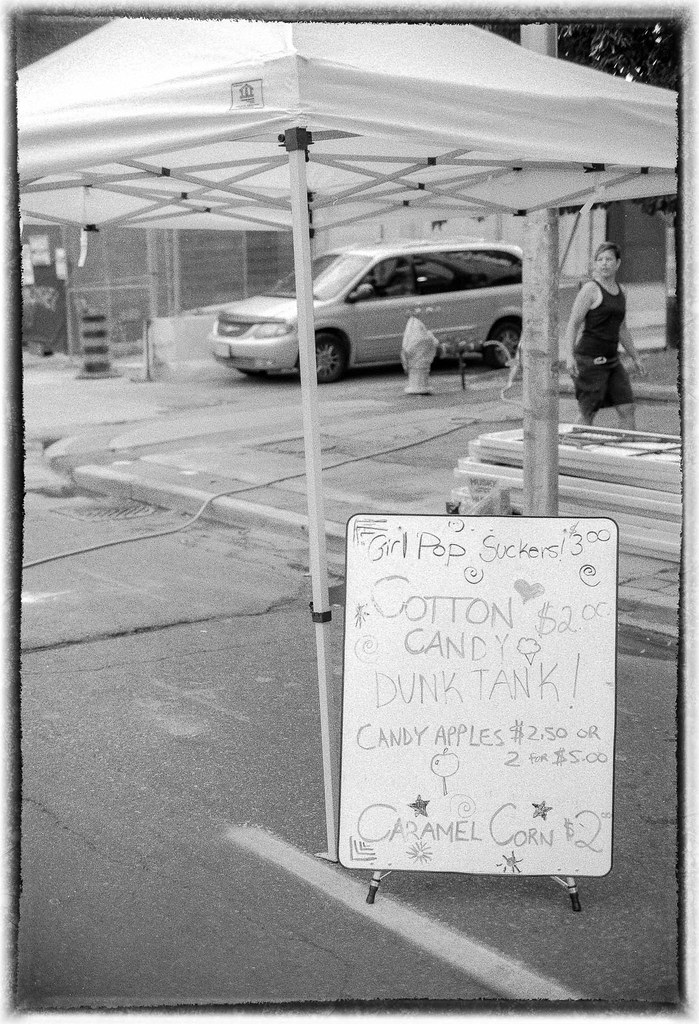
Girl Pop Suckers 
Maxxum 7, Sony DT 35/1.8 SAM, Neopan 100SS in Rodinal


I've been spending a lot of thought on my workflows of late.

I currently have two separate workflows for very different roles.

1. Camera RAW's imported to desktop, processed in CaptureOne 12 and then uploaded to Flickr
2. Camera RAW's developed in-camera, transferred wirelessly to the phone as JPEG, processed in Snapseed and uploaded to Instagram.

The first workflow is my serious, highly-curated workflow for serious work. The second started as me playing with the wireless capability of the X-T1, but I'm enjoying it as well. The photos I'm selecting for Instagram are largely cityscape shots, although I expect it will largely mimic the sort of work I post to Flickr, just in a more off the cuff, less curated fashion.

I'm still working on coming up with a workable mobile processing workflow for Flickr posting that is independent of my desktop. That is a major goal for this year, and I have some ideas but I'm not really there yet. I suspect the Gnarbox might form the core of the answer, if it will let me edit shots on my iPad directly off it.

I hope the Gnarbox workflow would be:

Import RAW images from SD card (in the field or back at home/hotel/etc), edit on iPad with some RAW conversion software, save to OneDrive, upload to Flickr/instagram.

Then on arrival at home, the Gnarbox could be sync'd to the PC for archiving and/or further work in C1.

What would make this work best would be if we got an actual C1 Mobile app. Lightroom CC Mobile is a non-starter due to the poor Fuji conversions and pretty much everything else uses Apple's built-in RAW conversion (which is at least better than Adobe's for Fuji stuff).

I also wish the Fujifilm wireless app would transfer RAW's, so I could do a better job of conversion (the in-camera conversion is quite limited, I only use it because that lets me pick the Film Simulation right before transfer rather than prior to making the image).

Tuesday, 12 February 2019

A Handful of Musings

The 63 
X-T1, XC 16-50 OIS II

 
Got out for a bit of real photography on my way home from work yesterday. It was refreshing to be looking at the world from the perspective of a lens again and considering how things would look as a picture. Got some good stuff, and I'm finding that CaptureOne 12 is doing a very good job of getting things right, pretty much straight from the camera.

Today's experiment was alternate workflows. I've got the Fujifilm Camera Remote app, which will connect with the X-T1 via WiFi. That functions as a remote release (why I installed the app), but it can also pull JPEG's from the camera in a couple ways (but not RAW files). It really is a lousy app, clunky, takes forever to connect to the camera, requires a mix of inputs on the camera and phone, et al. But it does let me take an arbitrary JPEG, suck it into the phone then post directly to Instagram/Facebook/anything else that can take a picture from Gallery (or Photos on iOS). I've got a couple posts on Instagram already from that, and plan on keeping using it.

On the gear front, Fuji is expected to announce a pair of lenses and a body on Thursday. I've no interest in the body right now (it's the X-T30,  the mid-range SLR-like body) however both lenses are interesting.

The first is a 16-80/4, which is quite compact at 16mm. This weather-sealed, OIS equipped zoom would be ideal as a do-everything lens in my future. It's the right size, the right range and the right aperture. Could totally see replacing the current 16-50 kit lens with this at some point in the future.

The second lens is a 16/2.8 WR prime, similar in form to the Fujicron line of f2 primes (23, 35, 50). It makes an ideal extension of that lineup on the wide end (and frankly, I'd like to own all 4 of those plus the 18/2 and 14/2.8). My preference is for mid-speed compact primes and the Fujicron's are exactly what I like. In a lot of ways Fuji could be listening to my brain (add a 70/2.4 and 135/2.8 and I'd be set).

Getting back to workflows, I'd like to work out a proper mobile workflow, between grabbing a JPEG straight off the camera and shoving it through Instagram and heavy lifting on my desktop. Ideally that would be on the iPad Pro (as I have one on long-term loan right now) and not involving any Adobe software. Will have to think about it, it's really a software question as I have the SD Card to Lightning adapter which is considered to be the best all-round way to get photos onto the iPad. I also need to start looking at what my next-generation desktop workflow will look like, my current desktop is 10 years old and starting to show it's age (it is pretty amazing that it's managed to work well for that long with only the addition of a new GPU and some disk)